Rowin Mol · October 23, 2026 · (last month) · 8 min reading time · updated Nov 19
In short
The invitations need to go out, and you still don't know where your guests will reply.
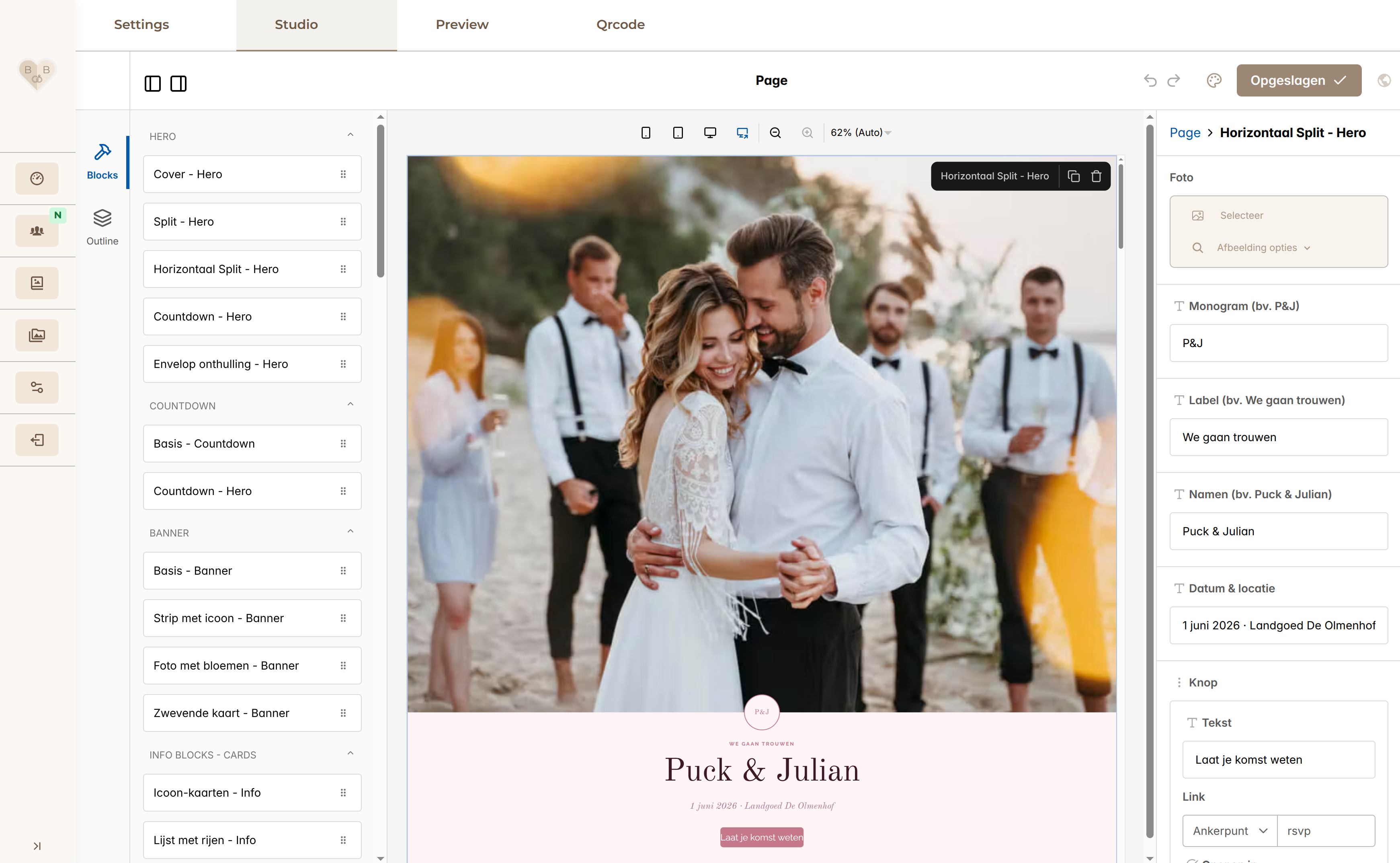
Short answer: you make a digital invitation as a web page in an editor. You pick a template or colour theme, drag in the parts you need (date, venue, programme, RSVP form) and then share one link with your guests. Their replies arrive in the same place your guest list already lives.
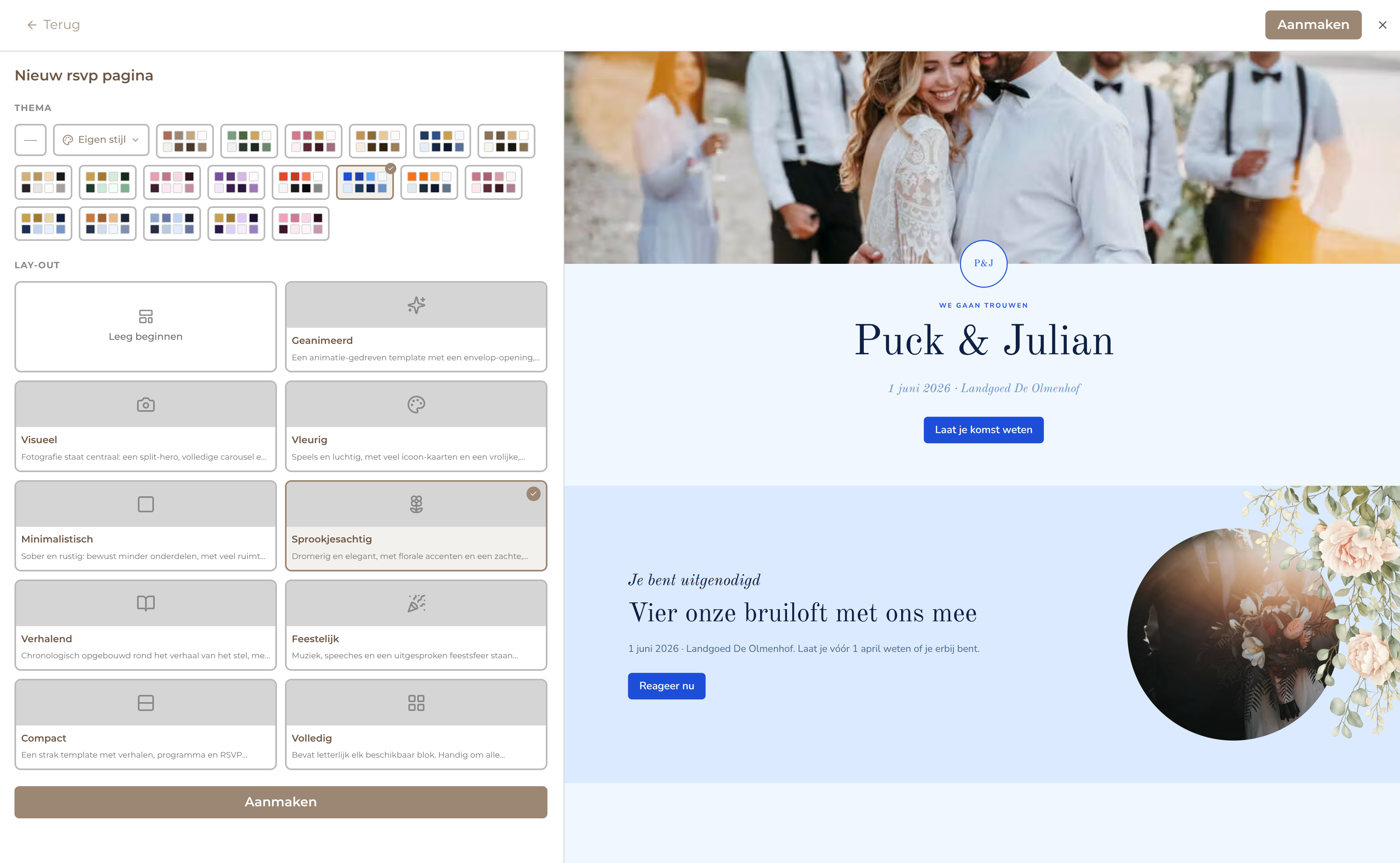
There are companies that print real cards, on paper you can hold, with a design that is right down to the margins. There are also design tools that let you shape an invitation to the millimetre. They are good at that, and if that's what you're after, you're better off there. With BruiloftBuddy you make the digital page: drag and drop and settings, linked to your guest list for RSVPs per part of the day. That page sits in the same place as the rest of your planning, so there's no extra tool to add. In the editor you choose from 60+ elements, 20 colour themes and ready-made templates to build on, so the page matches the style of your wedding.
Below you'll first find what belongs on a page like this and how the link with your guest list works. The step-by-step plan, from first click to sending, is at the bottom.
A digital invitation is a page with its own link. So not a picture, and that difference sounds smaller than it turns out to be in practice.
An image or PDF you send round on WhatsApp or by email is finished the moment you press send. A file like that can certainly look lovely, and you need one for printing anyway. It just can't do anything back. If the start time moves, you send round a new file and hope everyone opens the latest version. If a guest wants to reply, they message you, and you copy it over somewhere.
A page stays alive. You change the text and everyone who opens the link sees the new version straight away. It has a form where guests fill in their own details, and as soon as you approve those replies, they flow through to the rest of your planning, so no reply is left hanging anywhere.
A page like this is the light version of a wedding website. If you want more than just the invitation, such as a programme, directions, photos and your story, read how to create a full wedding website. The technology underneath is the same; only the size differs.
Stick to what a guest needs to say yes and be in the right place on time:
What you can leave out: long passages about how you met, and a gift suggestion in the same breath as the request to attend. Both are perfectly fine on your wedding website, where people choose to click through. The invitation itself is a call to come, and it works best when it's short.
This is where a digital invitation pays for itself. And it's exactly where most solutions drop out.
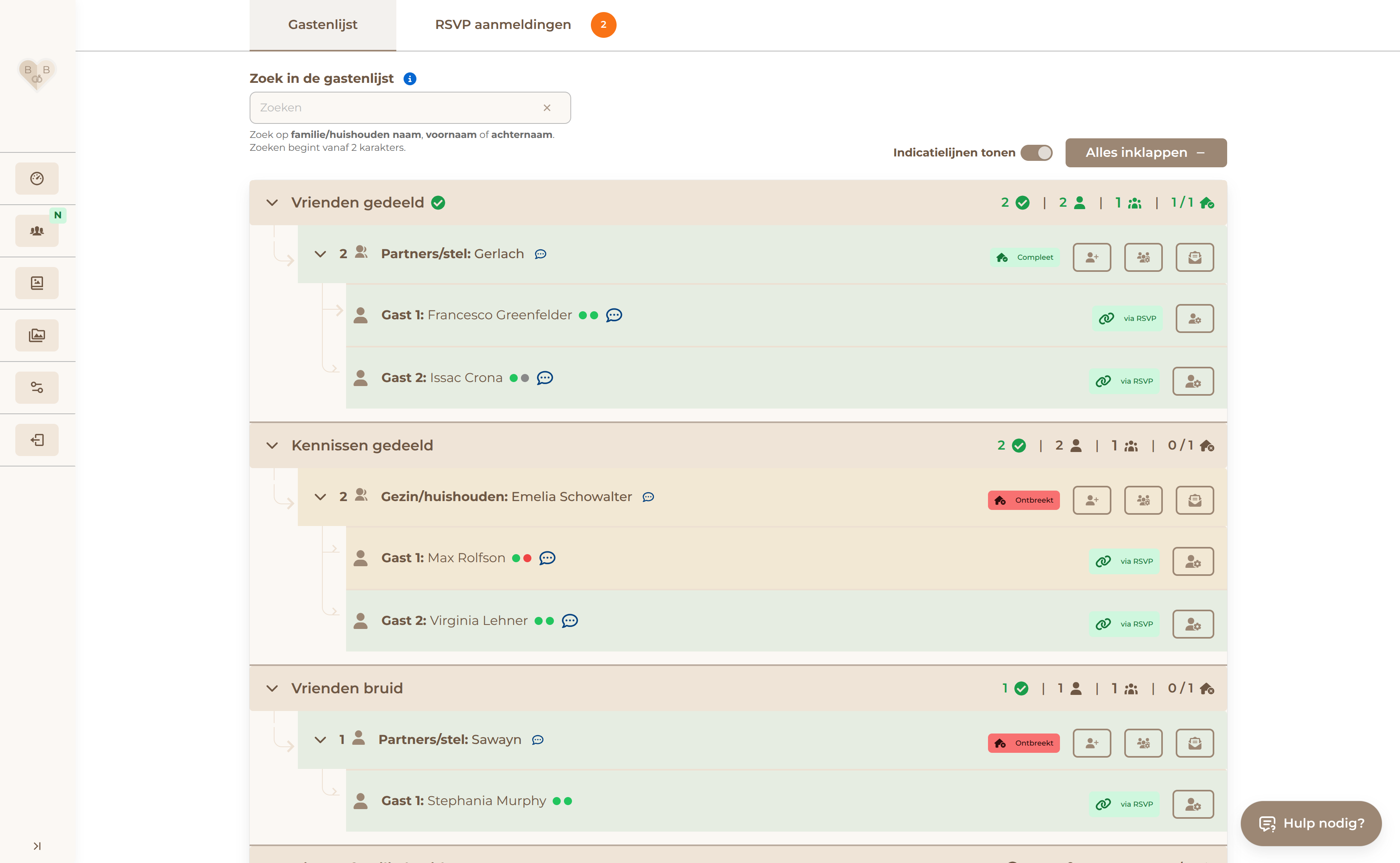
An invitation with a separate form underneath gets you replies. They end up in an inbox, in a form service, or in an export you have to download yourself. Then you transfer them to the list you actually work with: who is coming, how many people, who doesn't eat meat, who hasn't replied yet. With fifteen guests that's half an hour on a Sunday evening. With a hundred and twenty guests who also change their answers, you're working out every week which version is the latest.
The reverse order works better. You fill in the guest list yourself first, with the names you already know. Then the invitation goes out and guests complete their own details: whether they're coming, who from their household is coming along, what they don't eat, which part of the day. Those replies land in the guest list that was already there, and you approve them. You don't have to copy anything over, because there's nothing to copy.
Along the way that gives you something you don't think of beforehand. When the caterer asks three weeks ahead how many vegetarian guests are coming, the answer is already there. That's exactly how it went at our own wedding: the dietary requirements guests had filled in themselves could go straight to suppliers such as the caterer.
At many weddings some guests are welcome all day and others only arrive in the evening. That's trickier than it sounds. You don't want an evening guest standing at a closed door at three o'clock. And a day guest who thinks they're only expected after dinner will miss the ceremony.
The solution lies in the link, before the page even opens. You decide in advance who sees which version, so nothing needs explaining on the page itself.
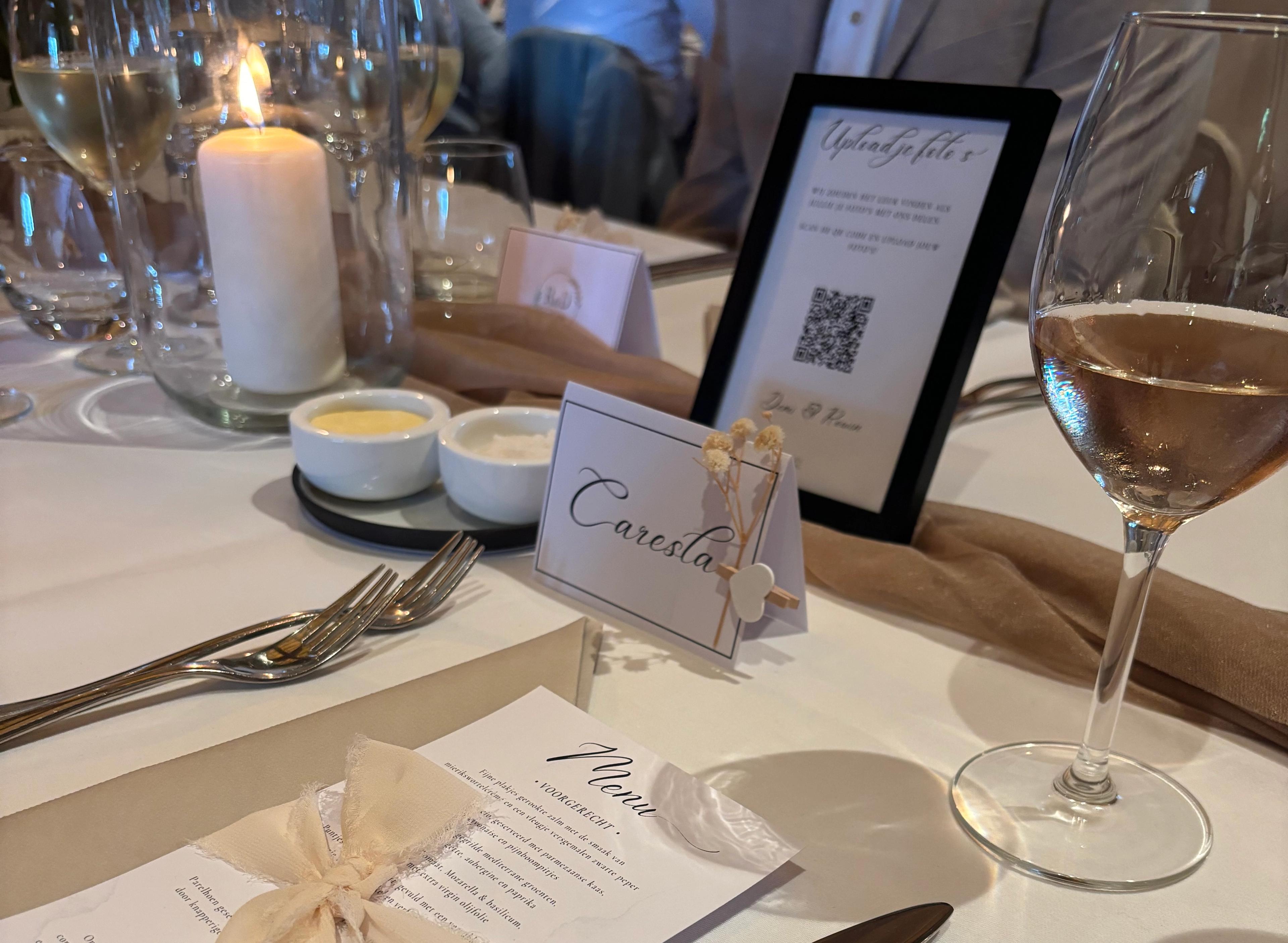
For our own wedding we had two kinds of cards printed: one for the guests who were there all day, and one for the evening guests. Each card showed the plan for that group, with its own QR code. That code led to a separate page linked directly to the right part of the day. That way everyone saw the version meant for them, and with every reply we knew which part of the day it was for.
That also answers whether you have to choose between paper and digital: you don't. We simply sent physical cards, with a QR code on them as the way into the digital side. We collected the addresses for those the old-fashioned way, over WhatsApp, even though the system already existed. These days you let guests fill in their own address on a save-the-date page. How to get those addresses in without chasing anyone is explained in how to collect addresses with your save the date. If you want beautiful cards, order them from a printer who is good at that. Behind the QR code sits the page that keeps track of replies per part of the day.
With anything described as "linked" and "automated", one worry is obvious: that every wedding ends up looking the same.
In the BruiloftBuddy editor you work with drag and drop and settings. You have 60+ elements to build with (text blocks, images, buttons, the RSVP form) and 20 colour themes to choose from. If you don't want to start from scratch, take a ready-made template and build on it, in the colours that match your invitation.
To be fair: for that last per cent, a specialised design tool gives you more control. If your style calls for a custom font placed to the millimetre, and a designer is involved, that route is better. For most weddings the question is more practical: a page that matches the invitation and the colours you've already chosen, without it costing you a free afternoon.
Once it's sent, the part where the link proves itself begins. Replies come in, people change their answers, someone mentions an allergy two weeks later. As long as all of that arrives in the same list, your overview stays right and all you have to do is approve.
You can build an invitation page like this within the seven-day free trial. Add your guest list, with yourself on it, build the page, reply through your own link and check that the reply is waiting with the right guest. If it doesn't do what you hoped, you've lost an evening and nothing more.

Rowin Mol
Rowin Mol is the founder of BruiloftBuddy. He got married in 2024 and, while planning his own wedding, found that on top of the tools he was using he still needed a separate spreadsheet for the guest list, attendance and the wedding day timeline.
Out of that frustration he built BruiloftBuddy: the platform he wished he'd had himself.
Try it yourself
Build your own wedding website
The editor on the homepage is the real editor, not a video. You see what you're making straight away.
Open the editorRowin Mol
Rowin Mol is the founder of BruiloftBuddy. He got married in 2024 and, while planning his own wedding, found that on top of the tools he was using he still needed a separate spreadsheet for the guest list, attendance and the wedding day timeline.
Out of that frustration he built BruiloftBuddy: the platform he wished he'd had himself.
Try it yourself
Build your own wedding website
The editor on the homepage is the real editor, not a video. You see what you're making straight away.
Open the editorYes, and in practice the combination works best: a printed card to hold, with a QR code or link to the digital page for the details and the reply. That is what we did at our own wedding too. So if a card through the letterbox matters to you, you don't have to give it up.
Call them and fill in their reply yourself. The guest list is the foundation, so you can simply add a reply by hand. That guest then appears in the same overview as everyone else, including dietary requirements and parts of the day.
Yes. The link stays the same, so you update the page and anyone who opens it afterwards sees the new version. For a real change, such as a different start time, do send a message to guests who have already replied. Don't count on people opening the page again of their own accord.
Two to three months before the day is usual, with a save the date earlier if you expect guests from abroad or are getting married in the holiday season. Set an RSVP deadline in the form that falls well before your suppliers' deadlines, so you have time left to chase the latecomers.


