Rowin Mol · May 15, 2026 · (6 months ago) · updated Nov 20
After the wedding, the best moments are scattered across dozens of phones. A few arrive via WhatsApp, some by email, and plenty of photos you never see again. Yet your guests captured things you missed yourself: your mum laughing during the ceremony, the children on the dance floor, the moment just before your first dance.
With the new BruiloftBuddy photo gallery, you collect all those photos in one place. You decide what to keep and what to share.
Short answer: create a photo gallery and share its QR code or link with your guests. They upload photos and videos straight from their phones, no app needed. Afterwards you pick the best ones with a swipe, show them on a TV if you like, and download everything in one go.
Create a gallery and share its QR code or link with your guests. They open the link on their phone and upload their photos and videos directly in the browser. No app needed, no fiddling with AirDrop or shared folders.

You decide how many photos each guest may upload and whether they add their name when uploading. That way you know afterwards who took which photo.
Not every photo is a gem, and that is exactly why there is a swipe selection mode. Photos appear one at a time, like a deck of cards. Swipe right to keep a photo, left to remove it. Made a mistake? The back button is always within reach.
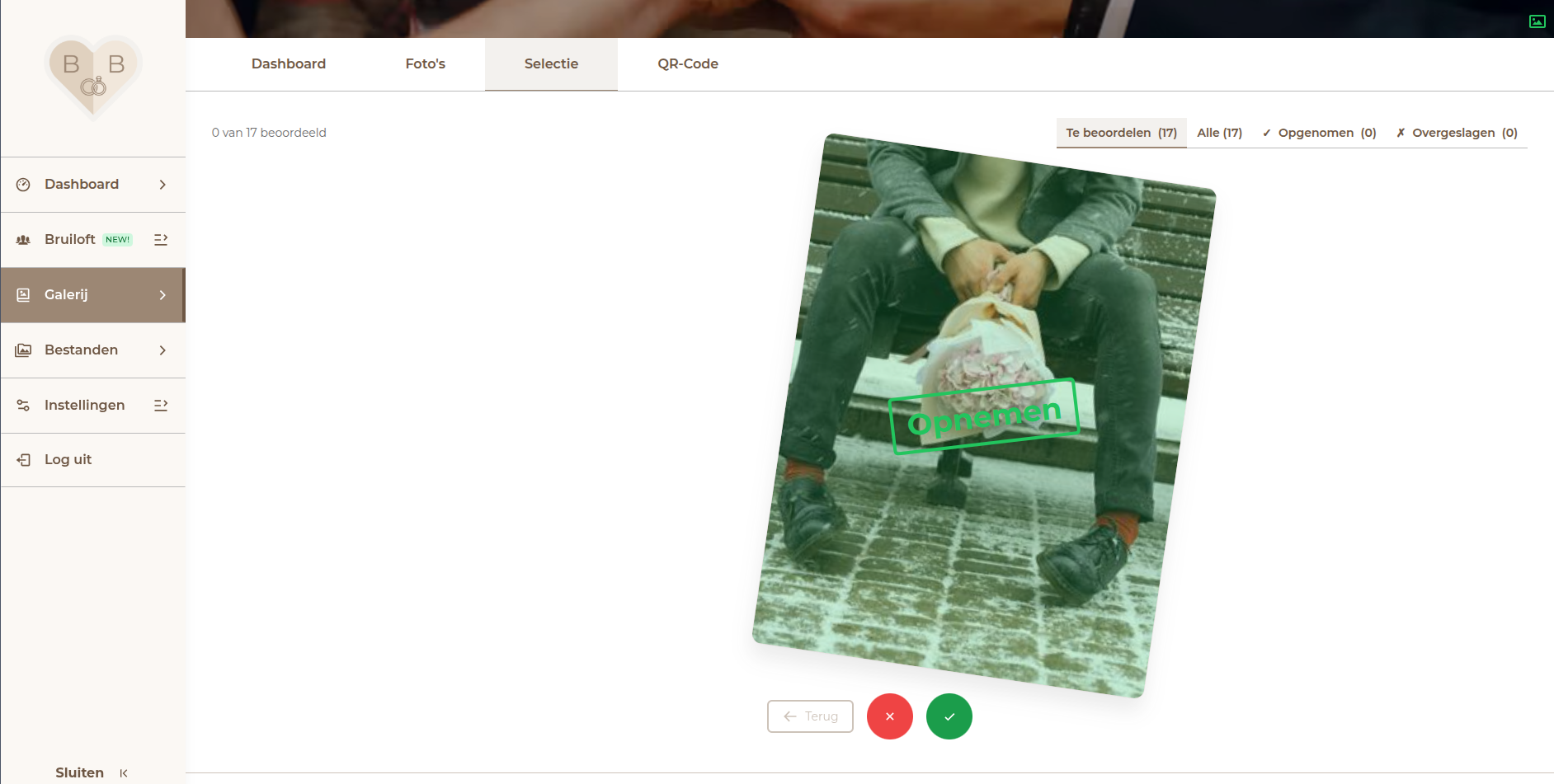
It works on your phone as well as on your computer, and at any time you can filter on accepted, rejected or still-to-review photos.
Planning a family dinner, or want to show the photos when friends come round for a meal? Create a shareable slideshow link and open it on any screen. You choose the transition and the speed, and the slideshow updates automatically as soon as you select new photos.
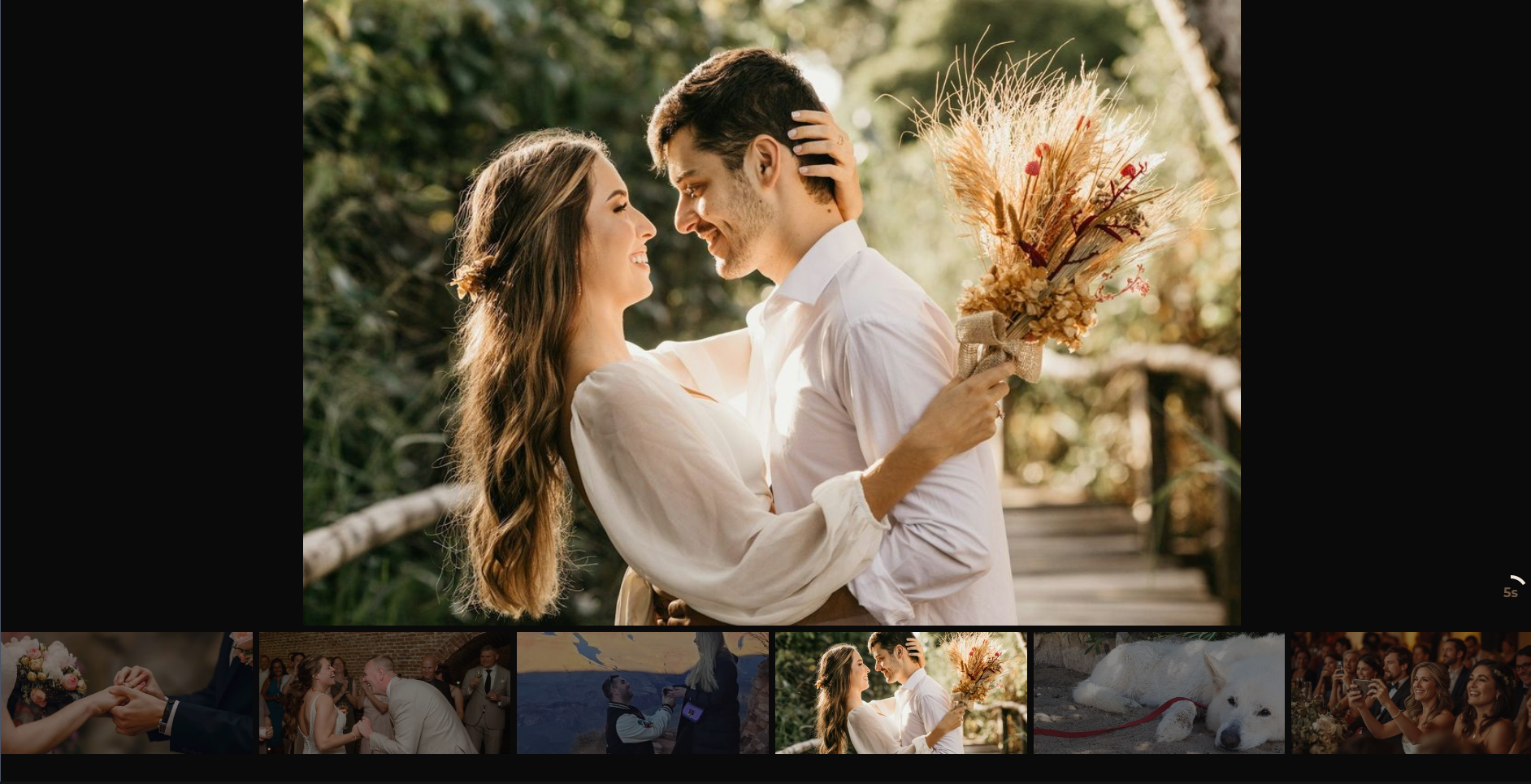
Once your selection is ready, you download all the chosen photos in one go as a ZIP file. No need to save a single photo separately. Ready to archive, print or share.
The gallery has three clear statuses. First the gallery is open so guests can upload. Then you switch to selection mode to choose the best photos. When you are done, you publish the gallery, after which only the selected photos are visible.
The photo gallery is available as a paid add-on to BruiloftBuddy. It is ideal for couples who, alongside the official photographer, want to keep and curate all the candid phone shots from their guests. See the pricing page for more information, or get in touch if you have any questions.
Already using BruiloftBuddy? You will find the photo gallery under galleries in your dashboard. Not yet? Sign up now!

Rowin Mol
Rowin Mol is the founder of BruiloftBuddy. He got married in 2024 and, while planning his own wedding, found that on top of the tools he was using he still needed a separate spreadsheet for the guest list, attendance and the wedding day timeline.
Out of that frustration he built BruiloftBuddy: the platform he wished he'd had himself.
Try it yourself
Build your own wedding website
The editor on the homepage is the real editor, not a video. You see what you're making straight away.
Open the editorRowin Mol
Rowin Mol is the founder of BruiloftBuddy. He got married in 2024 and, while planning his own wedding, found that on top of the tools he was using he still needed a separate spreadsheet for the guest list, attendance and the wedding day timeline.
Out of that frustration he built BruiloftBuddy: the platform he wished he'd had himself.
Try it yourself
Build your own wedding website
The editor on the homepage is the real editor, not a video. You see what you're making straight away.
Open the editor
Find out how to keep track of your guest list, RSVPs and attendance per part of the day, without needing a spreadsheet on the side.

Through a QR code or link that you share with them. They open it on their phone and upload photos and videos straight from the browser, without an app.
Yes. In the swipe selection mode you review photos one by one, and only once you publish are the selected photos visible to others.
Yes, in the plans that include the gallery. With the other plans, you buy the gallery as an add-on for a one-off fee. See the pricing page for current prices.


