Demi Mol · August 29, 2026 · (3 months ago) · 3 min reading time · updated Nov 19
In short
I planned our own wedding in a Google Sheet, with a separate RSVP form next to it and a notebook for the budget. Three systems that knew nothing about each other.
Short answer: wedding planning starts with four building blocks: your guest list, your parts of the day, your budget and your wedding day timeline. In BruiloftBuddy they are not separate from each other. You start with a ready-made checklist template, and what you fill in there carries through to the rest. Try it free for seven days.
Not with the venue. That is where almost everyone starts, and it makes sense, because booking a venue feels like finally doing something real. But then the budget comes last, and the sums no longer add up.
Start with your parts of the day. Who will be at the ceremony? Who joins for dinner, and who only arrives in the evening? Once that is on paper, you know how many people there are at each moment. That number decides your budget, and with it which venues are still realistic. What that roughly costs per guest is covered in what a wedding costs on average.
That is why it is step one when you get started in BruiloftBuddy. You set your parts of the day before you begin on anything else; your guest list, RSVP and wedding day timeline then simply take over that structure.
The questions we get from couples and masters of ceremonies keep coming back to the same three things.
Don't build your checklist from scratch. Take a template, extensive or short, and remove what doesn't suit you. Crossing things off is simply quicker than thinking of what you have forgotten. What to arrange each month is in our wedding checklist.
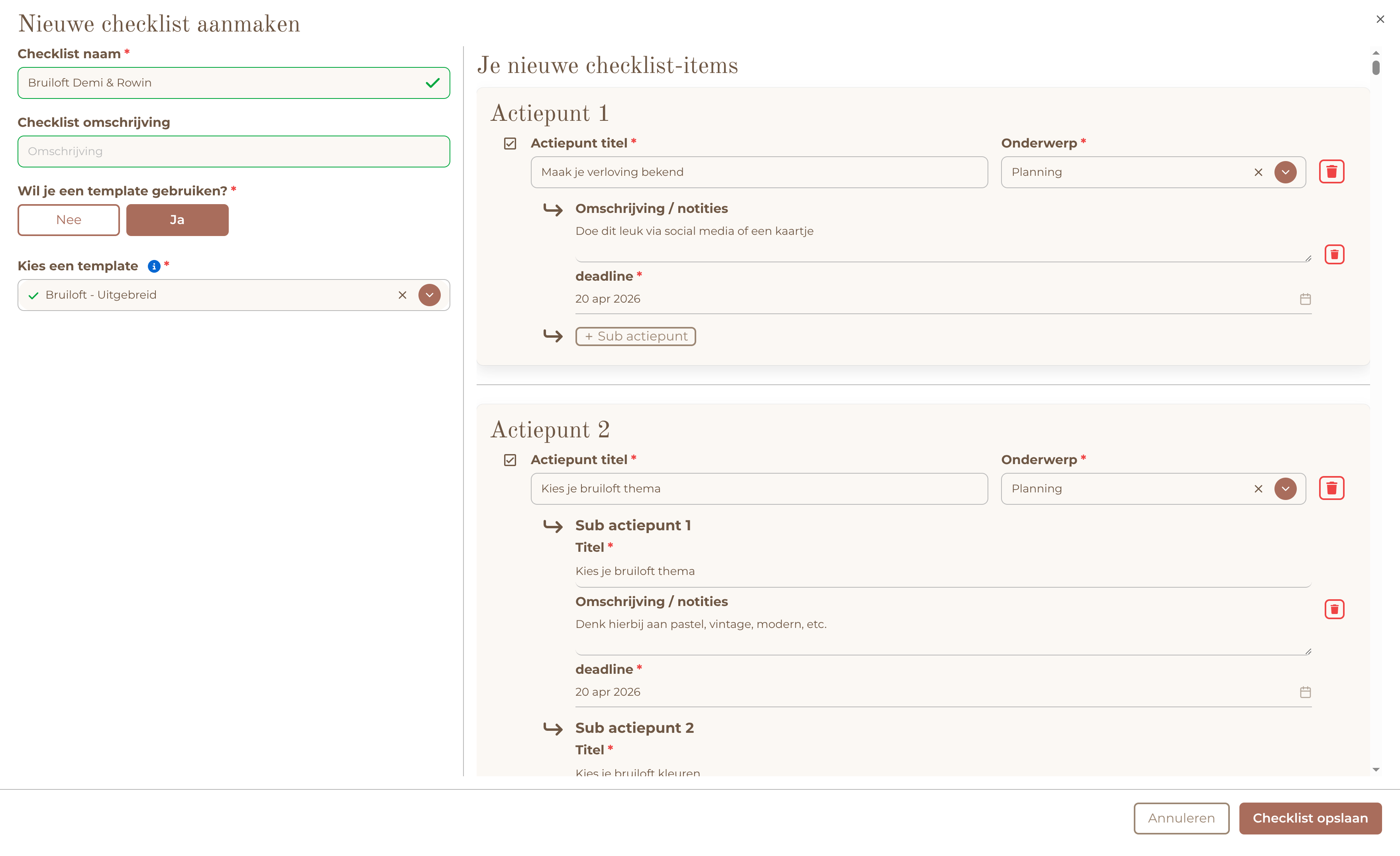
Then give every task a deadline. If it is also a payment, link it straight away to a budget item. That way you don't have to update two documents: what still needs doing and what it costs are in the same place.
To be honest, most other planners do that first part quite well: a tidy checklist per month, neatly organised. It gets stuck after that. Your guests are in a different system. You track attendance per part of the day by hand. And your wedding day timeline starts from zero again. I used a tool like that myself and still had that spreadsheet next to it. A fine tool otherwise, it just didn't know the rest of our planning.
Want to know what changes after the free trial? You can read it on the page about subscriptions and costs.

Demi Mol
Demi Mol got married in 2024 and, while planning her own wedding, noticed that the organisation could be a lot smarter and clearer.
Drawing on her background as a project manager, she now uses that experience to build the ultimate structure and planning method for BruiloftBuddy: exactly the overview she was missing herself.
Try it yourself
Build your own wedding website
The editor on the homepage is the real editor, not a video. You see what you're making straight away.
Open the editorDemi Mol
Demi Mol got married in 2024 and, while planning her own wedding, noticed that the organisation could be a lot smarter and clearer.
Drawing on her background as a project manager, she now uses that experience to build the ultimate structure and planning method for BruiloftBuddy: exactly the overview she was missing herself.
Try it yourself
Build your own wedding website
The editor on the homepage is the real editor, not a video. You see what you're making straight away.
Open the editorWith your parts of the day: who is there for which moment. That gives you your number of guests per moment, which in turn decides your budget and your choice of venue.
Yes. You can try the planning sections free for seven days.
You can. A checklist task that is also a payment can be linked straight to a budget item, so you see in one overview what still needs doing and what it costs.
Yes. The parts of the day you set while planning are also used in the guest list and the RSVP form. So attendance per moment is the same everywhere.


