Demi Mol · September 3, 2026 · (3 months ago) · 2 min reading time · updated Nov 19
In short
The planning tool I used for my own wedding said "all-in-one" on the box. Even so, I kept several spreadsheets next to it.
Short answer: an all-in-one wedding planner is only truly all-in-one when its parts use each other's data. In BruiloftBuddy an RSVP reply is in your guest list after one click to approve it, and a checklist task can be a budget item straight away. Free to try for seven days.
In practice it usually means: everything in one place. A checklist here, an RSVP form there, a budget table somewhere too. All behind the same login. There is little wrong with that, those tools do their job well. The checklists are complete and there is no shortage of inspiration.
But the parts know nothing about each other. When an RSVP comes in, you copy the new number of guests into your budget yourself. And when someone can't come, you update it in three places. That is exactly where my spreadsheet came from. The tool wasn't bad. Something was just missing between the parts. What a wedding planning tool should be able to do between those parts is covered in which wedding planning tool you really need.
That is the question we are asked most often. If everything flows through automatically, can you still see what is happening?
Yes. The dashboard shows in one overview how far along your guest list is, which checklist tasks are still open and where your budget is going. If a guest changes their dietary requirements through the link in their confirmation email, it shows up as soon as you approve the change. No exporting and importing, no guest-list-final-v3.xlsx.
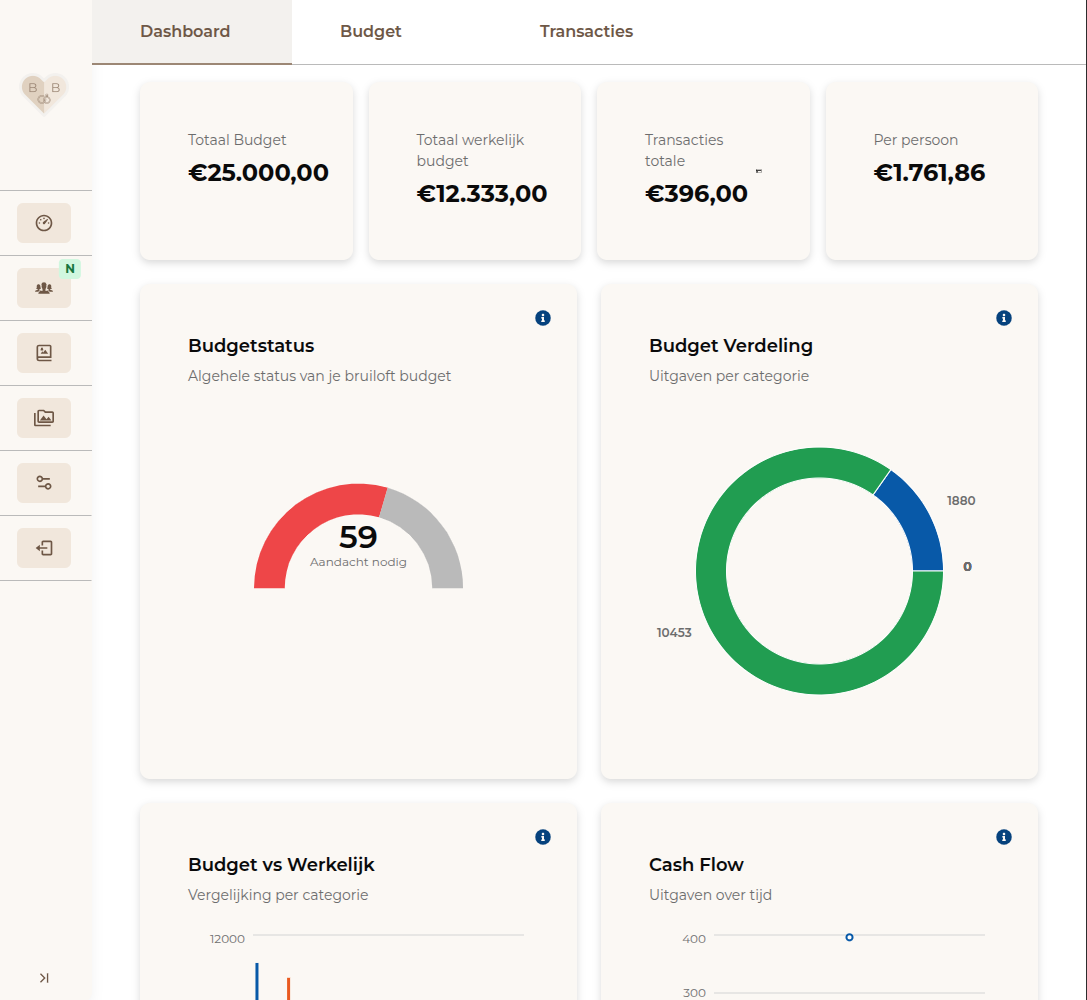
The system repeats what has already been filled in. You make the choices.
It works the same way for how you plan the day. The system knows who is at which part of the day; what happens during that part of the day is up to you. How to build that up is explained in creating a wedding day timeline.
You can try it free for seven days, so you can see for yourself whether that link does what I claim here. What changes after that is on the page about subscriptions and costs.

Demi Mol
Demi Mol got married in 2024 and, while planning her own wedding, noticed that the organisation could be a lot smarter and clearer.
Drawing on her background as a project manager, she now uses that experience to build the ultimate structure and planning method for BruiloftBuddy: exactly the overview she was missing herself.
Try it yourself
Build your own wedding website
The editor on the homepage is the real editor, not a video. You see what you're making straight away.
Open the editorDemi Mol
Demi Mol got married in 2024 and, while planning her own wedding, noticed that the organisation could be a lot smarter and clearer.
Drawing on her background as a project manager, she now uses that experience to build the ultimate structure and planning method for BruiloftBuddy: exactly the overview she was missing herself.
Try it yourself
Build your own wedding website
The editor on the homepage is the real editor, not a video. You see what you're making straight away.
Open the editorNot that the sections sit side by side in the same app, but that they use each other's data. An approved RSVP reply, for example, flows straight into your guest list and with it into your guest count.
Yes. The dashboard shows your guest list, your open checklist tasks and your budget in one view, and anything you enter or approve shows up there straight away.
Yes, free for seven days.
Yes. You choose which sections you use and which template you start with. The linking happens in the background as soon as you fill in your details.


